VIRTUAL TRY-ON · SIZE RECOMMENDATION · ONE WIDGET

Fewer returns. Higher conversion.

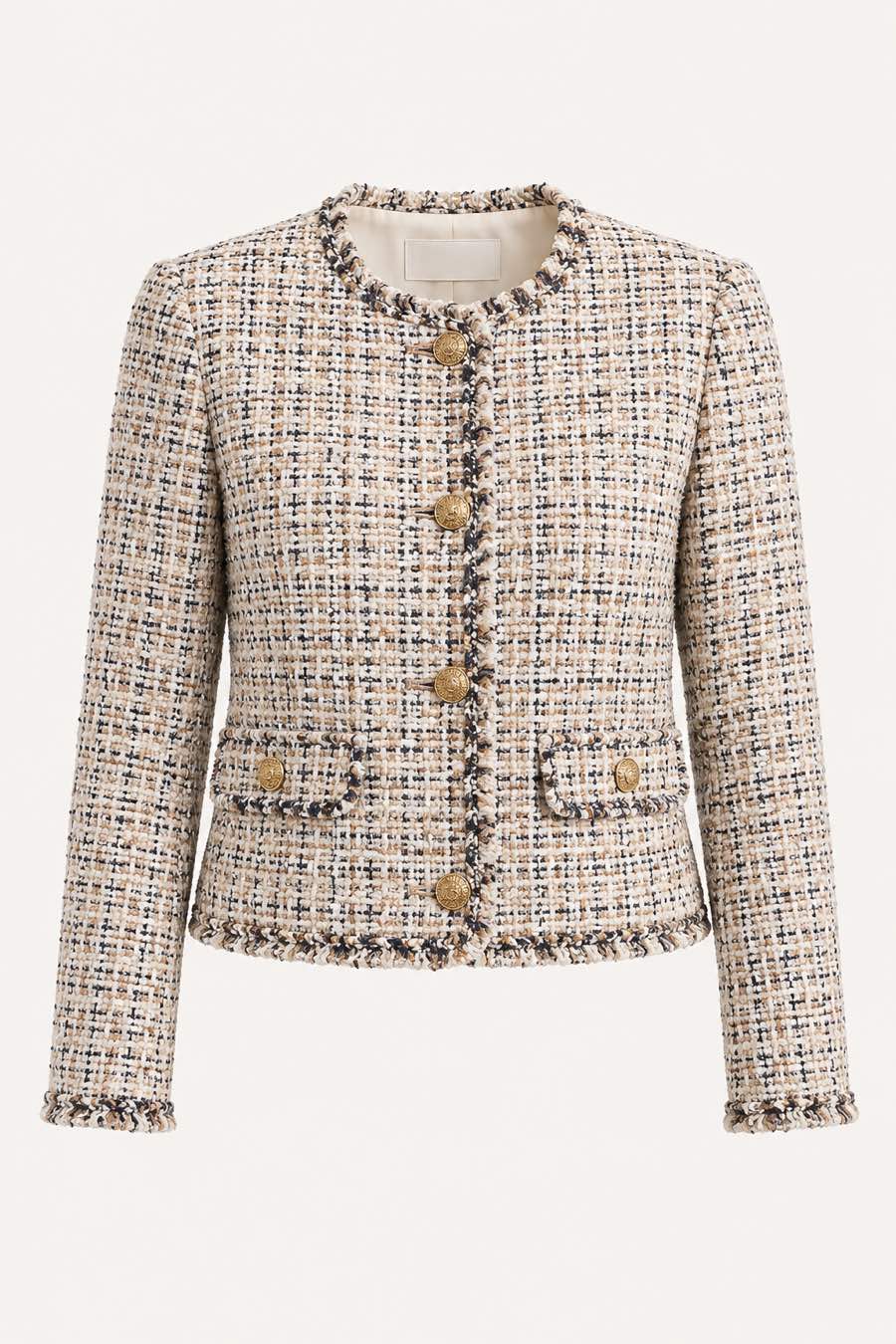
Shopper photograph before virtual try-on
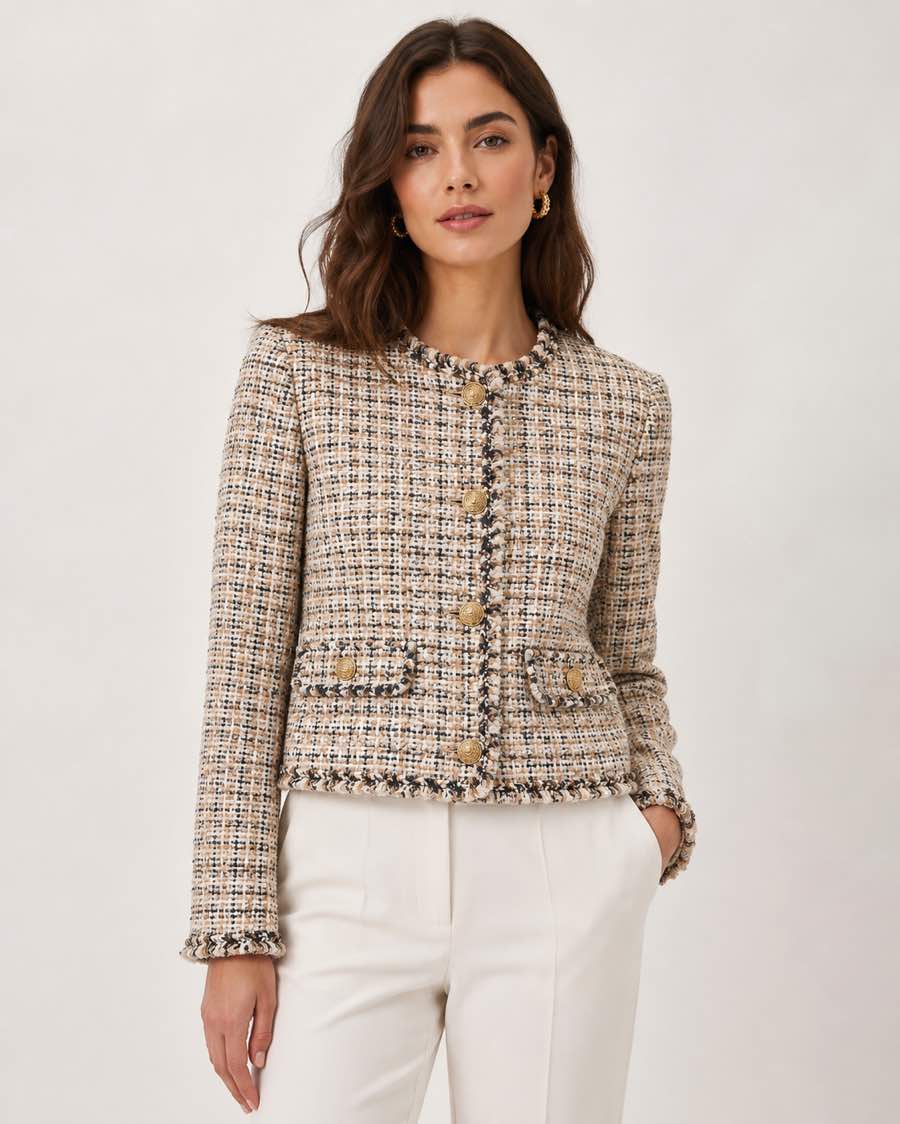
Shopper photograph after virtual try-on
Interactive comparison between the original shopper photograph and the FittingMe.ai virtual try-on result.
PILOT PARTNER In pilot with Sarenza, a European footwear retailer.
THE COST OF GETTING SIZE WRONG

Returns are not a fulfilment problem.
They're a P&L problem.

Across European fashion e-commerce, the same loop repeats every season: shoppers hesitate, ship two sizes, keep one, send one back. The reverse logistics, restocking, and write-downs sit on the merchant's side of the ledger.

~70%
of online carts are abandoned, on average.
— Baymard Institute, 70.22% average
~1 in 4
garments bought online are returned worldwide; the EU rate is higher.
— ~26% global apparel return rate (aggregated Statista data)
Costly
every return carries pick-up, inspection, repackaging and write-down costs.
— Material and category-dependent; scoped per pilot
THE SOLUTION

One widget.
Two answers shoppers actually need.

Most sizing tools answer half the question. We answer both — what it looks like on you, and what size to pick — inside the same component on the same product page.

FEATURE A
Model wearing a bone linen set after virtual try-on
Render · 1.6s
Linen Set · Bone · M

Virtual try-on, on a real photograph.

The shopper uploads one well-lit photograph. The garment is rendered onto their silhouette — not a generic avatar, not a model proxy. Drape, length, and proportion can be assessed directly on the product page.

On-device pre-processing · image handling scoped before launch
FEATURE B
XS
18%
S
42%
M
91%
L
36%
XL
12%

Size recommendation, cross-referenced.

Shopper measurements are matched against your brand's size chart and the garment's specific cut. Recommendations include a fit score and a fallback size when the shopper sits between two grades.

Per-SKU calibration · works with your existing chart
THE DIFFERENTIATOR

It's a single, unified widget.

Try-on and size recommendation share one input flow, one UI, and one event stream. One snippet to scope, one product-page component to test, and one measurement plan to review.

See it live →
ROI CALCULATOR

What does fewer returns
do to your P&L?

Adjust monthly orders, current return rate, and the share of returns you expect to avoid. The annual estimate uses a configurable cost-per-return assumption; validate every input against your own logistics during the pilot.

25,000
25%
27.5%
Inputs are private. Calculation runs entirely in your browser.
Indicative estimate only. Actual results depend on catalogue mix, traffic, baseline returns, operational costs, and the agreed pilot measurement plan.
BENCHMARK SCENARIOS

Benchmark
scenarios.

These ranges are planning benchmarks, not forecasted FittingMe.ai outcomes. Your pilot should validate conversion, returns, and payback against your catalogue, traffic, and baseline return rate.

up to −40%
fit-related return rate
True Fit · up to 40% fewer fit-related returns (vendor disclosure)
Higher
conversion rate on product pages with the widget
True Fit · 1–2% sitewide conversion lift (vendor disclosure)
≈ 4 months
median payback period
Internal modelling · scenario only

We validate outcomes through the agreed pilot measurement plan.

CAPABILITY COMPARISON

Where the unified widget differs.

Most teams already evaluated a sizing solution two or three years ago. The category has shifted. Here's where the math has changed.

Capability comparison between FittingMe.ai and classic sizing tools
Capability FittingMe.ai Classic sizing tools
Try-on rendered on shopper's own photograph Native Avatar or model only
Size recommendation cross-referenced with brand chart Per-SKU Generic grade
Single, unified widget on product page One snippet Two vendors, two integrations
Image retention terms Scoped by deployment Varies
A/B test instrumentation Pilot dashboard Self-serve at extra cost
Integration scope Pilot-scoped Varies by architecture
  • Try-on rendered on shopper's own photograph
    FittingMe.ai Native
    Classic sizing tools Avatar or model only
  • Size recommendation cross-referenced with brand chart
    FittingMe.ai Per-SKU
    Classic sizing tools Generic grade
  • Single, unified widget on product page
    FittingMe.ai One snippet
    Classic sizing tools Two vendors, two integrations
  • Image retention terms
    FittingMe.ai Scoped by deployment
    Classic sizing tools Varies
  • A/B test instrumentation
    FittingMe.ai Pilot dashboard
    Classic sizing tools Self-serve at extra cost
  • Integration scope
    FittingMe.ai Pilot-scoped
    Classic sizing tools Varies by architecture
HOW IT WORKS

Three steps from snippet to signal.

01

Integrate

Drop a single <script> tag into your product-page template after technical scoping. The widget is configured against your product data, size charts, consent flow, and analytics plan.

02

Shopper input

Photograph plus self-reported size. The widget pre-processes on-device, then renders the garment on the shopper's silhouette and returns a recommended size with a fit score.

03

Measure

Measure conversion lift, return-rate movement, and revenue per visitor against the agreed pilot plan. Export requirements are scoped with your analytics setup.

TECHNICAL INTEGRATION

One snippet. The platforms you already run on.

Designed for asynchronous loading and scoped product-page pilots. Integration details are validated with your platform, catalogue data, and consent requirements before launch.

pdp.template.html
<!-- 1 · An anchor where the widget mounts -->
<div id="fittingme-widget-container"></div>

<!-- 2 · One script tag — it builds the widget iframe -->
<script
  src="https://cdn.fittingme.ai/fittingme-widget/loader/fittingme-loader.min.js"
  data-container="#fittingme-widget-container"
  data-api-url="https://api.fittingme.ai"
  data-api-key="YOUR_PUBLISHABLE_KEY"
  data-locale="fr"
  data-product-id="YOUR_PRODUCT_SKU"
  data-brand-slug="your-brand"
  data-garment-type="dresses"
  data-gender="female"
></script>
PLATFORM FIT
S
Shopify
W
WooCommerce
P
PrestaShop
M
Magento
SC
Salesforce CC
⟨/⟩
Custom React / Vue
Open the live widget →
OBJECTIONS, ANSWERED

What buyers ask before signing.

How does this support GDPR review?
We map roles, data categories, consent flow, processor obligations, subprocessors, and deletion expectations during procurement. The signed customer agreement and DPA define the binding terms for each deployment.
Are shopper photos retained after the try-on?
The pilot design minimizes image handling and separates shopper imagery from merchant analytics where feasible. Retention, deletion, and telemetry terms are agreed before launch.
How long does integration actually take?
We scope integration during the demo against your commerce platform, product-page template, consent flow, catalogue data, and analytics needs. Simple pilots are designed to stay lightweight; custom architectures take more planning.
Does the widget work with our existing size chart?
The pilot is designed around the chart and product data you already maintain. During onboarding, we review how sizes, variants, cuts, and collections are represented before committing to the mapping approach.
What does the pilot look like?
A pilot is scoped around a defined product-page cohort, measurement plan, technical prerequisites, privacy documentation, and agreed commercial terms before launch.
Who is behind FittingMe.ai?
An early-stage product team based in Paris, building B2B try-on and sizing workflows for fashion retailers. We share appropriate company and security information during qualified vendor review.
BOOK THE WALKTHROUGH

See the widget on
your own product page.

A 30-minute live call to review a representative product page, integration constraints, and pilot measurement assumptions. You leave with a scoped next-step summary.

No credit card. No SDK required for demo. Calls run in EN or FR.